AP Modern PPS Lab is a small educational app based on a Java technical assignment I completed about 13 years ago. I rebuilt the original command-line project as a modern SwiftUI application to preserve the idea, explore its historical background, and turn it into a more visual way to learn how a simple programmable virtual machine works.
About 13 years ago, during a job application process, I received a technical assignment to create a small PPS processor in Java.
The original task was to create a quite simple application which should work in a Terminal: there was no GUI (graphical user interface) at all. That Java application should accept a sequence of numeric commands, process them and return the result.
During my work on it, I also became curious about what the abbreviation PPS actually meant and where the idea came from. The task description didn’t have any explanation of the abbreviation PPS.
That led me to some interesting historical context.
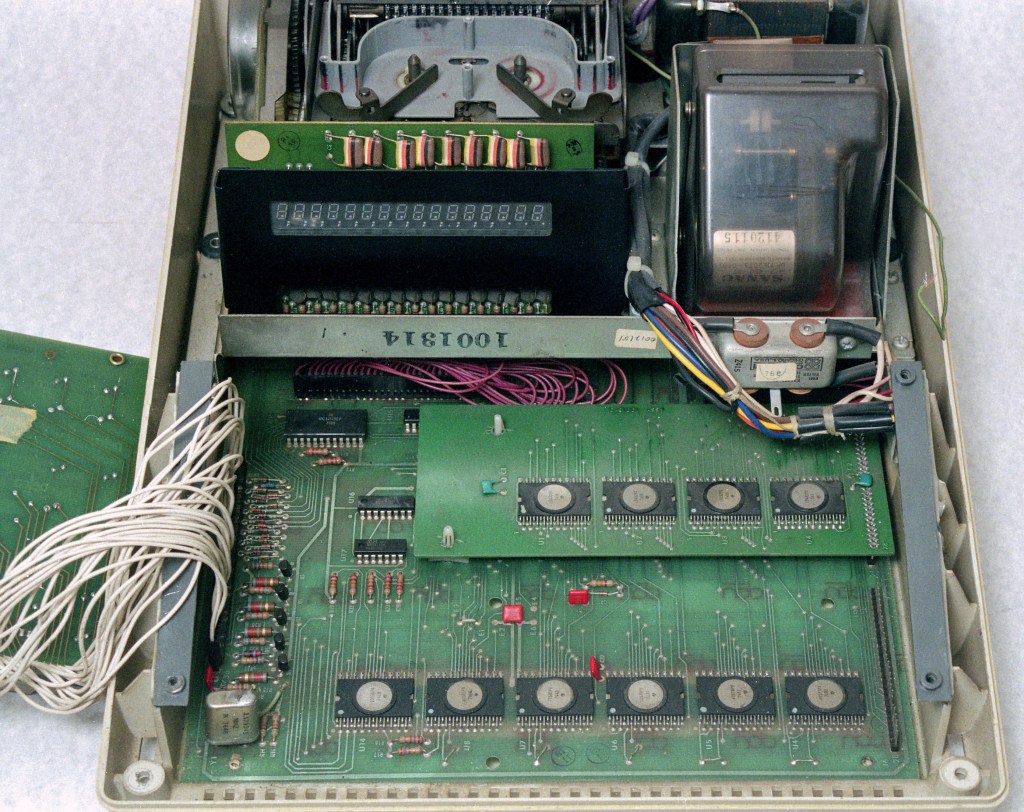
The term PPS is associated with the Rockwell Parallel Processing System family of early microprocessors from the 1970s. Those processors used sets of numeric opcodes (operation codes) to perform low-level operations with registers, memory, branches, flags and input/output.
My application is not an emulator of those processors, but the general idea is similar: a program is represented as a sequence of instructions, and those instructions are executed one after another.
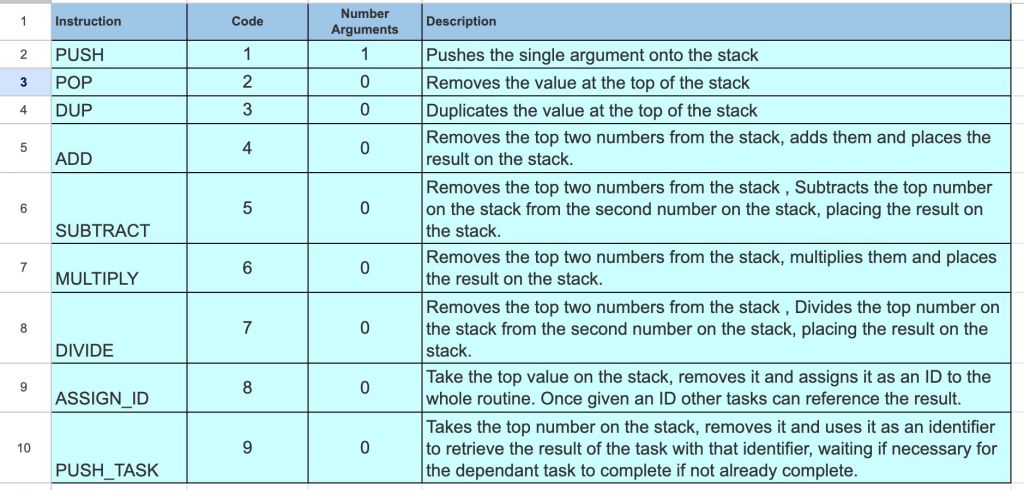
Looking at the project again many years later, I realised that what I had originally built was essentially a small VM (virtual machine) and a parser for user-entered commands.
That made the project much more interesting to revisit.
I did not want to lose the old work completely, so I decided to recreate it as a modern application and preserve it as part of my own programming history. At the same time, I wanted to make it available to other people who might also find the idea interesting or useful.
The original version was very much an application from a programmer for programmers: enter a sequence in the Terminal, execute it, and inspect the result.
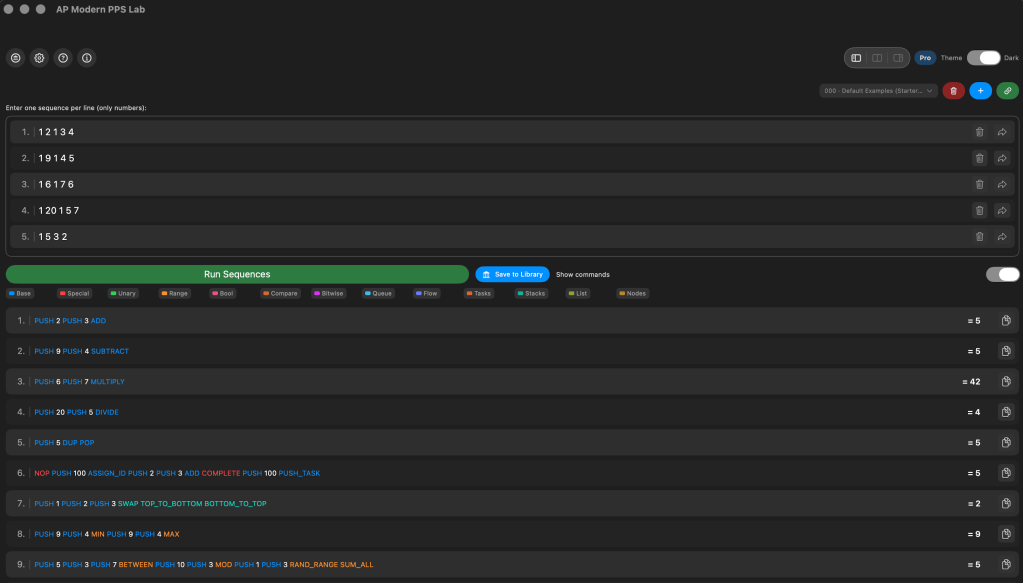
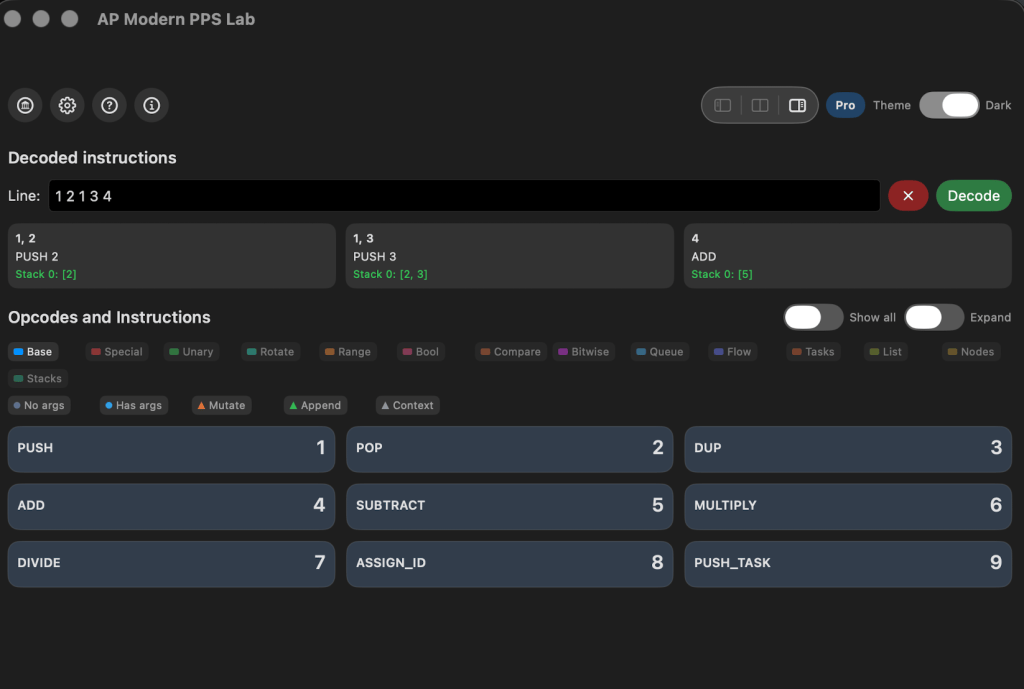
For the new version, I wanted to keep the same basic idea but give it a proper GUI (graphical user interface). Instead of only seeing the final result, the user can now investigate what happens inside the virtual machine step by step.
My application, AP Modern PPS Lab, is built with SwiftUI for iPadOS and macOS.
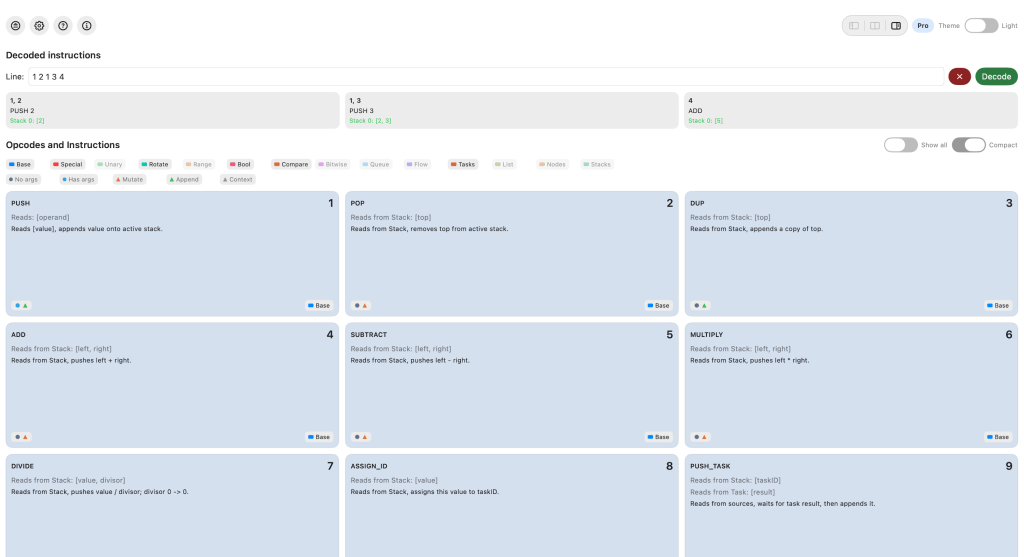
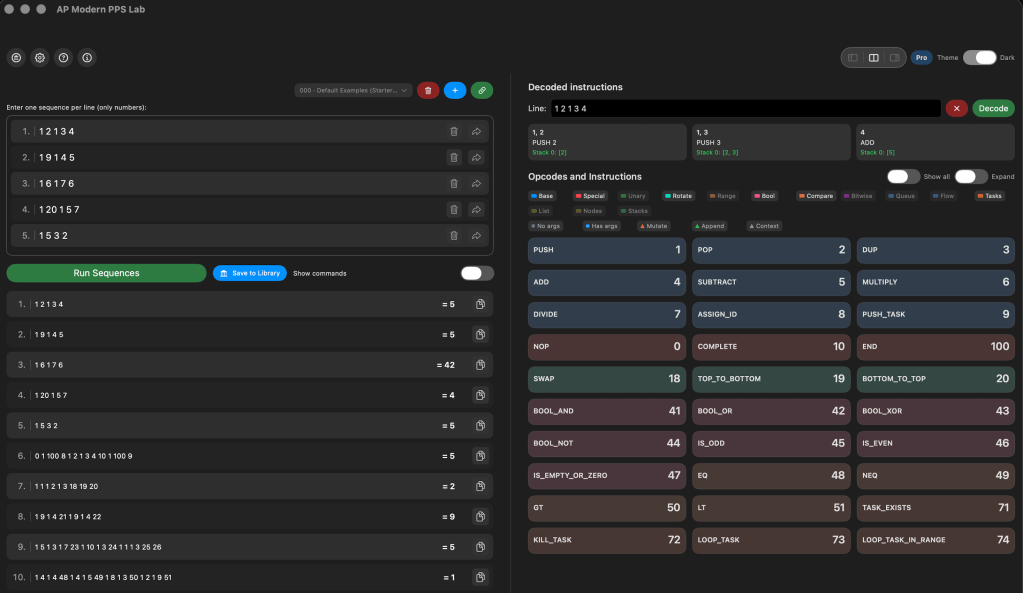
It shows how commands are decoded, how values move through the stack, how execution state changes, and how one task can depend on the result of another. From my point of view it helps develop analytical thinking and understand the logic of processes within the virtual machine (PPS Processor).
I spent several weeks just playing with this app on my laptop, I extended the original idea with additional concepts such as:
- stacks;
- queues;
- linked lists;
- task dependencies;
- loops and flow control;
- comparisons;
- aggregate operations;
- decoded execution states;
- built-in examples and user presets.
As a result, AP Modern PPS Lab became more than just a recreation of an old technical assignment.
It can now be used as a small educational virtual machine playground for learning how a simple programmable system works internally. The app also has a long list of predefined examples of opcode sequences.
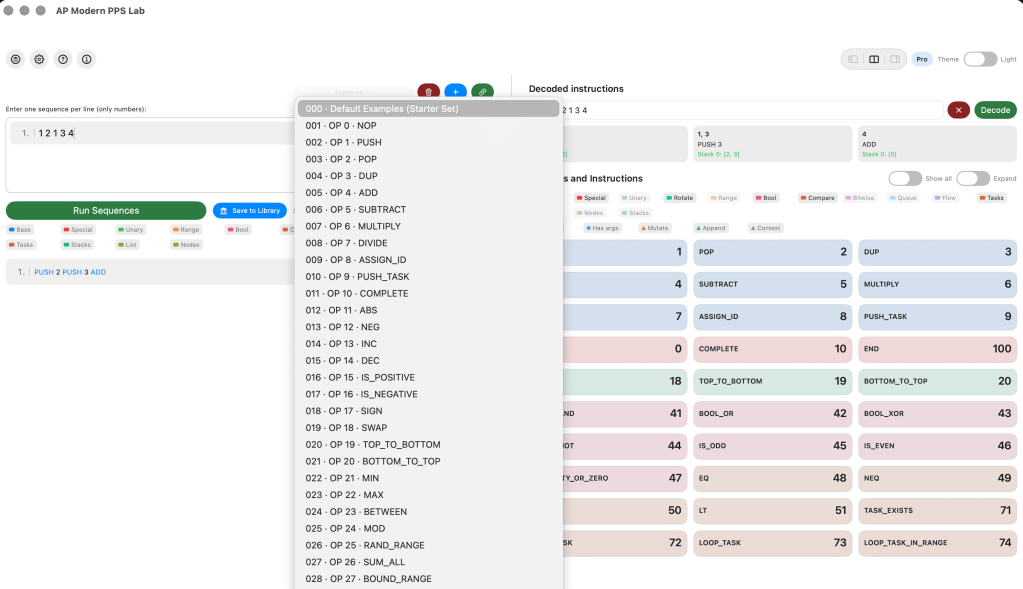
For example, instead of only seeing that a calculation produced the number 5, you can follow each instruction, see what is placed on the stack, what is removed from it, and how the final result is produced.
This is the part of the project that interests me most now: making something that normally happens invisibly inside a program a little easier to see and understand.
A simple example
For example:
1 2 1 3 4
This can be decoded as:
1 2 → PUSH 2
1 3 → PUSH 3
4 → ADD
The stack first receives the value 2, then the value 3. The ADD instruction removes both values from the stack, adds them together, and places the result back on the stack.
The result is:
5
The original assignment also included tasks that could depend on each other.
For example:
1 100 8 1 2 1 3 4 = 5
1 200 8 1 4 1 5 4 = 9
1 100 9 1 200 9 4 = 14
The first task calculates 2 + 3 = 5 and stores the result as task 100.
The second task calculates 4 + 5 = 9 and stores the result as task 200.
The third task retrieves the results of tasks 100 and 200 and calculates:
5 + 9 = 14
If one of the required tasks has not finished yet, the dependent task waits until its result becomes available.
That task dependency was one of the most interesting parts of the original Java challenge, and it is still an important part of the AP Modern PPS Lab.



Leave a comment